Chat
Your conversations from the site, with projects, memory, dictation, web search and the laws in force read at the source. It computes with an exact calculator, not by heart.
The app · In development
One app to talk, work and code. Chat, Work and Code with your conversations from the site, a virtual machine of its own, full Python, a viewer for diagrams, 3D models and circuits, and your computer to use when you ask.
Three ways to work
Your conversations from the site, with projects, memory, dictation, web search and the laws in force read at the source. It computes with an exact calculator, not by heart.
It works on your files: Python with its libraries, charts, Excel, Word, PDF and PowerPoint, Beatrice’s skills and yours. A number in the answer comes from a calculation, and it is checked again before delivery.
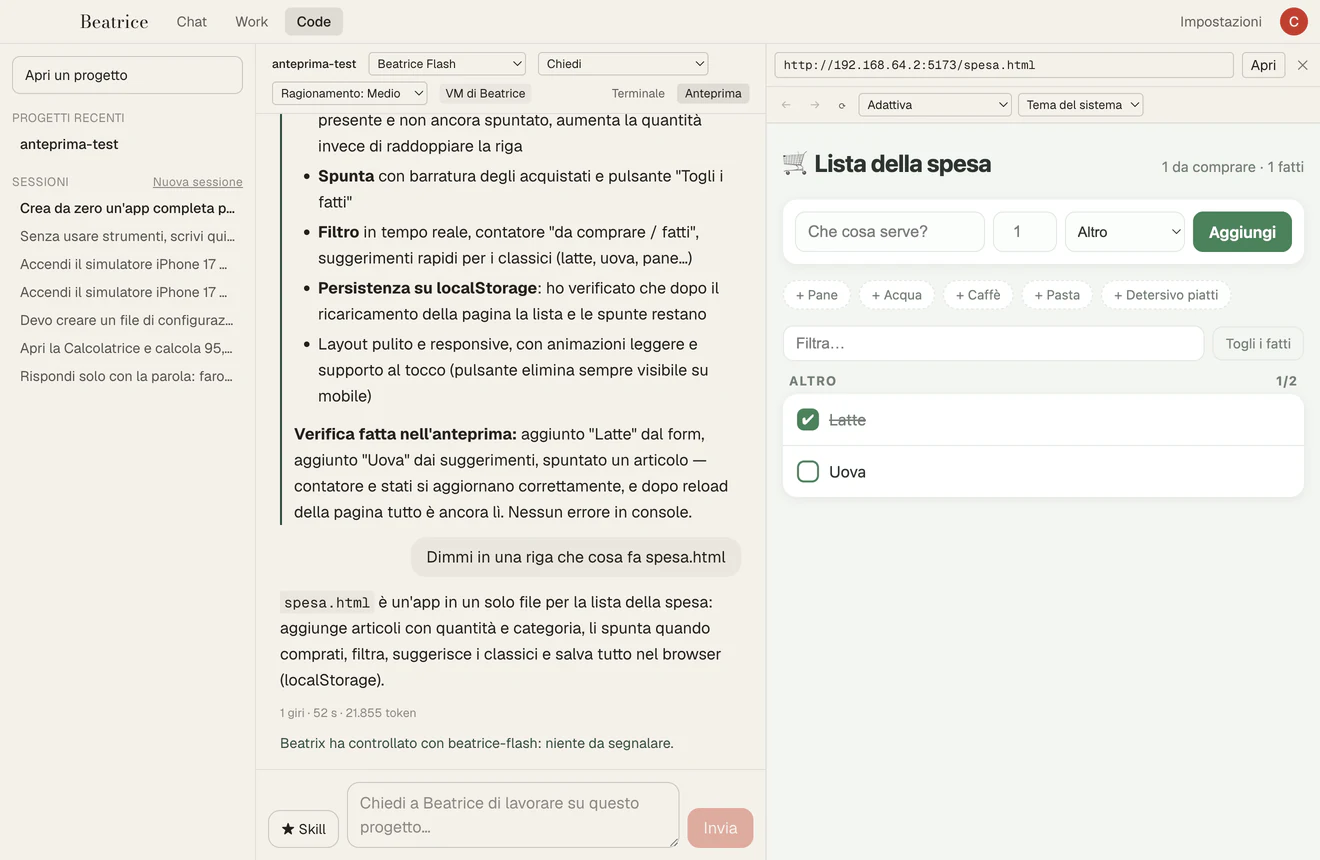
A coding agent in your project: it reads, edits, runs the tests and checks the result before it ends. Five levels of authority, from «always ask» to working on its own.
A computer of its own
Code and Work run in a Linux virtual machine on your Mac, with Apple’s virtualization framework. There Beatrice installs what she needs, builds, starts servers and databases, without touching your system.
It sees what it builds
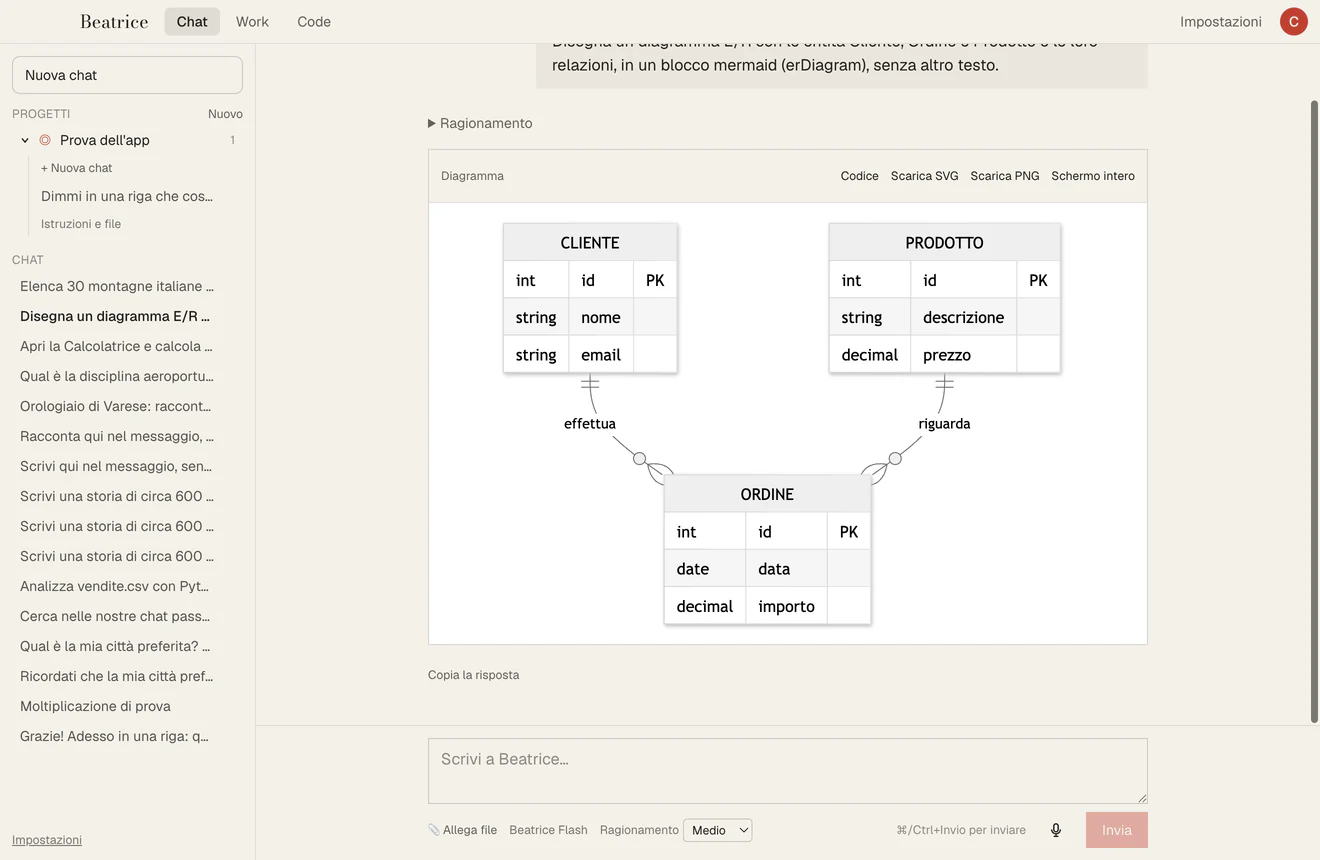
The viewer draws diagrams (entities and relations, flows, sequences, Gantt) with their code one click away, rotates 3D models and KiCad boards in 3D, opens the waveforms of simulations. They download as SVG and PNG.
Electronics and hardware
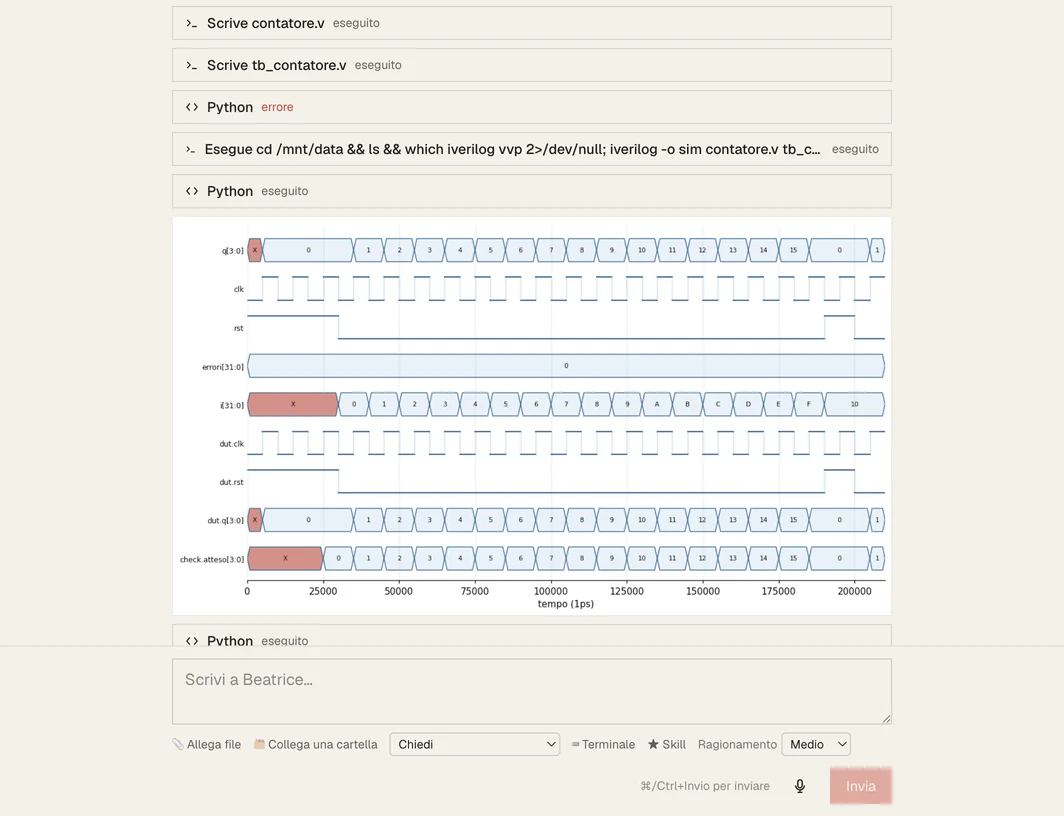
Beatrice writes Verilog modules with self-checking testbenches, simulates them with Icarus Verilog and shows the waveforms and the signals’ activity in 3D. In the virtual machine it synthesizes for FPGA with Yosys and nextpnr and shows the placement in 3D. It draws real schematics and reads KiCad projects.
It uses the computer, like a person
It opens the apps you allow, one by one, reads their windows, clicks and types. Before sending, paying or deleting it asks you. It stays off until you turn it on.
It starts a virtual iPhone or Pixel, installs the app you are building, taps it and looks at it, and you see the screen in the app. Xcode or the Android SDK are needed on the Mac.
Twelve screens, from the iPhone SE to Full HD, with rotation and a light or dark theme, to judge a page as the people using it see it.
Beatrix
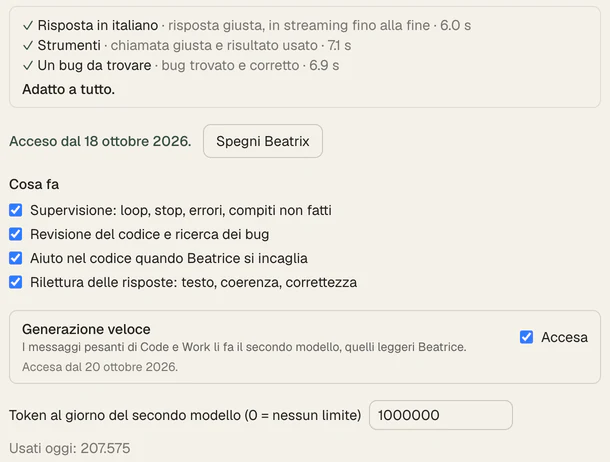
If you want, you connect a second model (OpenAI, Anthropic, Google, Mistral or one on your computer) with your key. It rereads the answers, reviews the code, helps Beatrice when she gets stuck and, if she stops, finishes the work. With fast generation it does the heavy jobs and Beatrice the light ones. The calls leave from your computer, go through Beatrice’s red lines and never carry your memory, keys or files of secrets.
Under control
When
We are building it and trying it every day on macOS, with Apple and Intel chips; the virtual machine and the iPhone simulator need an Apple chip. Windows and Linux will come later.